AEP & Google Part F: Google Analytics Reporting with RTCDP Audiences
Recap: What is a RTCDP Destination?
Destinations are pre-built integrations with external platforms that allow for the seamless activation of data from Adobe Experience Platform. You can use destinations to activate your known and unknown data for cross-channel marketing campaigns, email campaigns, targeted advertising, and many other use cases.
In practice, a Destination allows marketers to export and sync audiences and/or customer attributes using a user-friendly UI.
Google Analytics
So upfront, there isn't a Google Analytics Destination. For the sake of completeness in the Google blog series, we will explore using a method that is worth having in your Real-time CDP (RTCDP) toolkit. RTCDP has an all-purpose Destination called "Custom Personalization" that can return the audience membership client-side.
Use case
As a digital analyst, I want to:
- Gain insights or form hypotheses by reporting on audience membership data created centrally in Real-time CDP.
- Optimize multi-channel campaigns based on audience target or control.
- Optimize in-flight campaigns/content with RTCDP-defined audiences in Google Analytics' real-time reports.
So what?
- Overlaying non-digital data often reveals deeper insights. Google Analytics may not have data from all data sources compared to RTCDP.
- RTCDP contains rich audiences such as modelled audiences (Customer AI, Look-a-likes).
Best Practices
- Work closely with the GA4 implementation team to assess if GA4 custom dimensions/audience are available.
- Consider the impact of this method on GA4 server calls licensing.
- Setup operating process for likely different teams involved.
- Maintain the "active" audiences conservatively to avoid any bloating of Audience IDs sent and managed in GA.
Introduction
In order to use this method, the main prerequisite is the Adobe Web SDK or Mobile SDK for mobile apps. The Audience IDs will be selectively returned client side via the RTCDP Destination mapping (sharing) process.
In the tag manager, the Web SDK response can be either stored or immediately trigger the data request to Google Analytics.
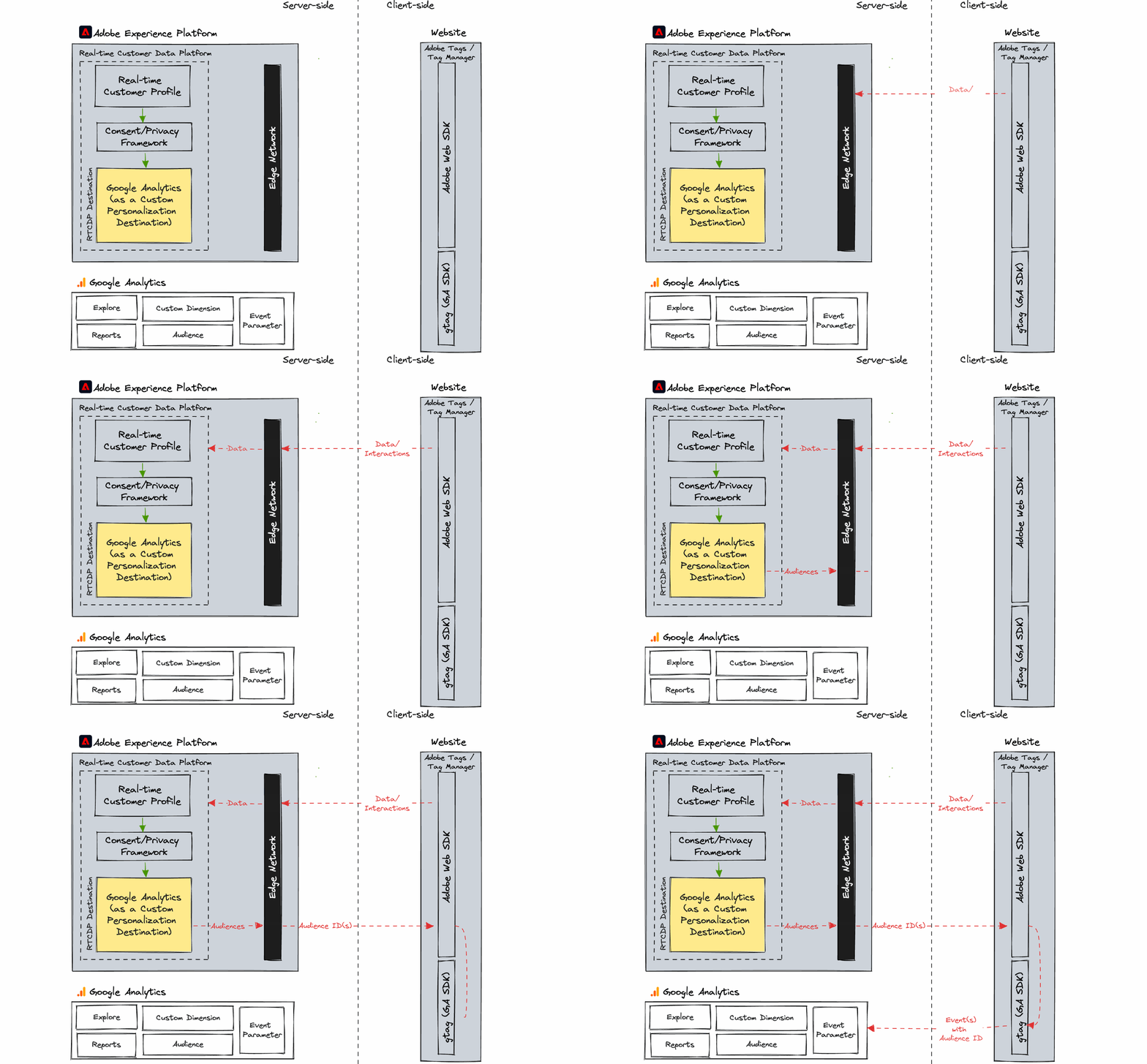
Tutorial
- Prerequisites
- Create New Custom Personalization Destination
- Consume the Web SDK response from RTCDP
- Pass Audience IDs to Google Analytics gtag
- Create a Custom Dimension in GA4
- Create GA4 Audiences corresponding to RTCDP
- Google Analytics Reports with RTCDP Audiences
Prerequisites
- Use Adobe Web SDK/Mobile SDK to send data to RTCDP (to support streaming audiences).
- Adobe Data Collection Datastream is created and used in the same environment as the data collection.
- Permissions/access to update client-side deployment either in the tag manager or front-end.
- User with the required RTCDP and Google Analytics permissions.
Create New Custom Personalization Destination
In Adobe RTCDP, create a new Custom Personalization Destination. The key configuration is:
- Integration alias: "ga" is an example, we will use this label to filter against other Destinations.
- Datastream ID – this must match the environment where the data is collected.
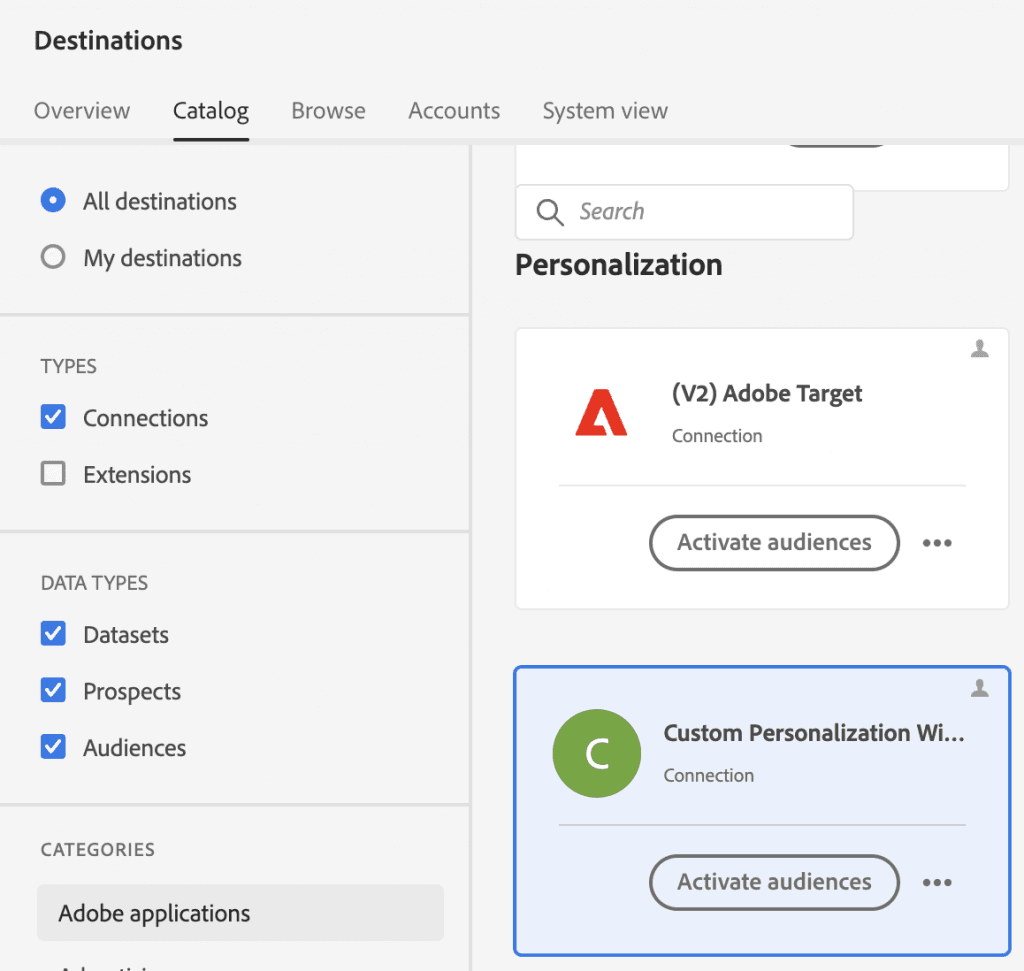
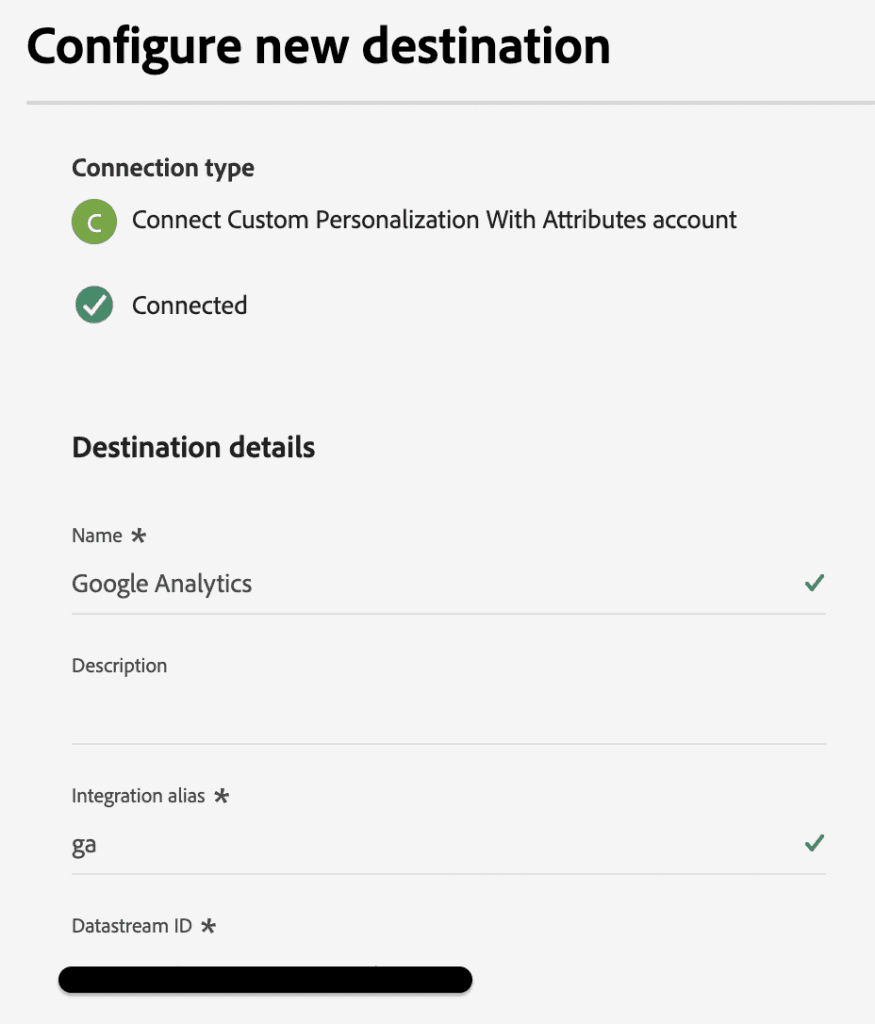
Consume the Web SDK response from RTCDP
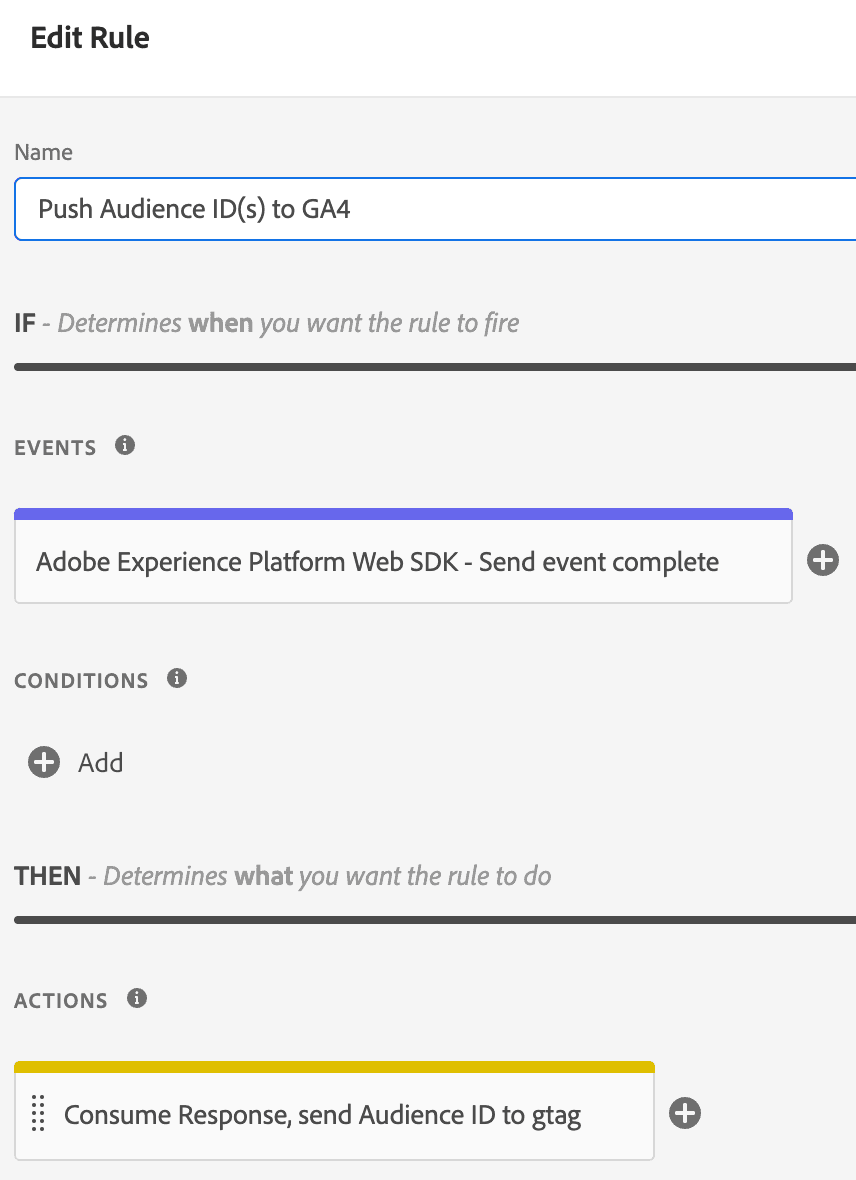
Using Adobe Tags, we can add a Rule to push the RTCDP audience membership to the GA4 tag. Data collection requests are triggered with the Web SDK "Send Event" Action. There is a corresponding event "Send event complete" which allows access to the response.
Adobe Tags — consume via the "Send event complete" and a custom code Action
In the custom code remember to filter by the "ga" alias:
// Custom Code Action
_satellite.logger.info("+++ Push to GA4 +++ ");

var customDestination = event.destinations;

if (customDestination) {
  customDestination.forEach(item => {
    // Check if the alias is "ga", this alias is set in the RTCDP Destination
    if (item.alias === "ga") {
      _satellite.logger.info("+++ Custom Destination with alias 'ga' found +++ ");
      item.segments.forEach(segment => {
        gtag('event', 'rtcdp', {
          'audienceId': segment.id,
          'debug_mode': true
        });
        _satellite.logger.info("+  " + segment.id + "  +");
      });
    }
  });
}
Alloy.js version
alloy("sendEvent", {
  "xdm": {...}
}).then(function(result) {
  if (result.destinations) {
    result.destinations.forEach(item => {
      if (item.alias === "ga") {
        item.segments.forEach(segment => {
          gtag('event', 'rtcdp', {
            'audienceId': segment.id,
            'debug_mode': true
          });
        });
      }
    });
  }
}).catch(function(error) {
  // Tracking the event failed.
});
Pass Audience IDs to Google Analytics gtag
We used the Gtag library for simplicity. GA4 does not have an array data structure therefore Audience IDs are configured to be sent as separate events.
Conclusion
In summary, AEP can support a variety of applications even if there isn't an existing Destination. The Custom Personalization Destination enables the Audience memberships to be consumed by any applications that can interact with the AEP Edge Network.
