AEP & Google Part E: Activating on Advertisers' Destinations
After covering four posts about ways to get data into Adobe Experience Platform (AEP), we can now look at activating the audiences created in the platform via the application service called Real-time CDP (RTCDP).
Recap on the previous data ingestion blog posts:
- Part A: Data Collection: Google Tag Manager
- Part B: Google Cloud Platform
- Part C: Google Analytics and Google Ads Enhanced Conversions
- Part D: Ingesting Google Data
What is a RTCDP Destination?
Destinations are pre-built integrations with external platforms that allow for the seamless activation of data from Adobe Experience Platform. In practice, a Destination allows marketers to export and sync audiences and/or customer attributes using a user-friendly UI. The key steps to use a Destination:
| Step | Recurrence | Comment |
|---|---|---|
| Check Prerequisites | One-off | Collaborate with the activation partners. Check if the credentials are available for the linking process. Check if the identities supported match what is available in AEP. |
| Create Destination | One-off | Create the Destination in the RTCDP UI. Configure or link the solutions via an account ID, API credentials or user login. |
| Validate Destination | One-off | Share a test Audience, check if integration is working then also check volume is in line with expected audience size from AEP. |
| Map Audiences to the Destinations | Once per Audience | Share new or existing Audiences to Destinations in the UI. Some Destinations require some additional configuration such as attribute selection and scheduling. |
Google Destinations
We will define the use cases and best practices for the following out-of-the-box Google Destinations:
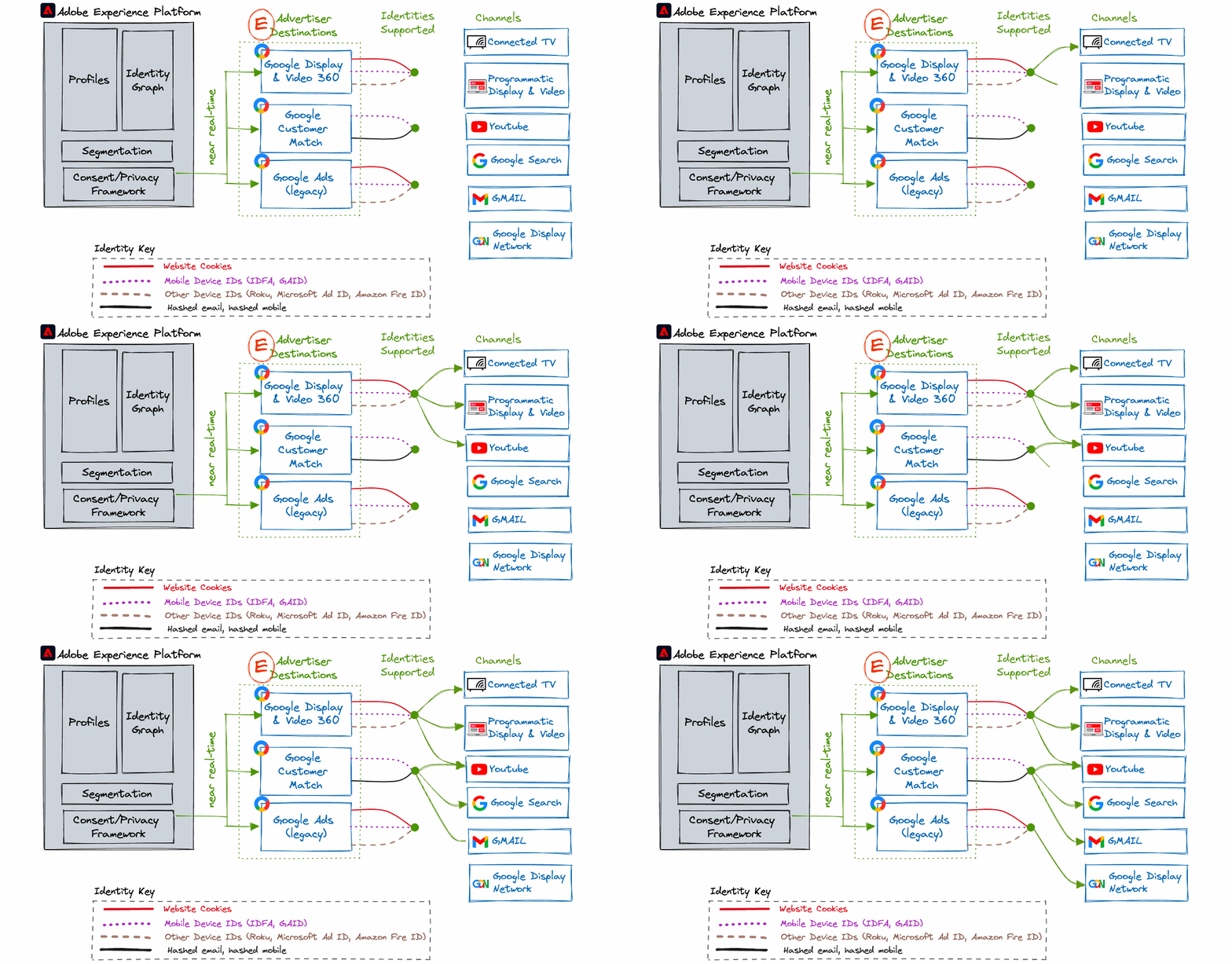
Google Display & Video 360
Google Display & Video 360 (ex-DBM) is a demand side platform application used by advertising operation teams to buy and run online ads. Available channels: Display, Video, Audio, TV, and more premium private inventory.
Use case
- Retarget users across the Google-exclusive properties and programmatic inventory.
- Suppress existing customers or convertors to increase advertising spend efficiency.
- Upsell or nurture leads into the next stage of the lifecycle.
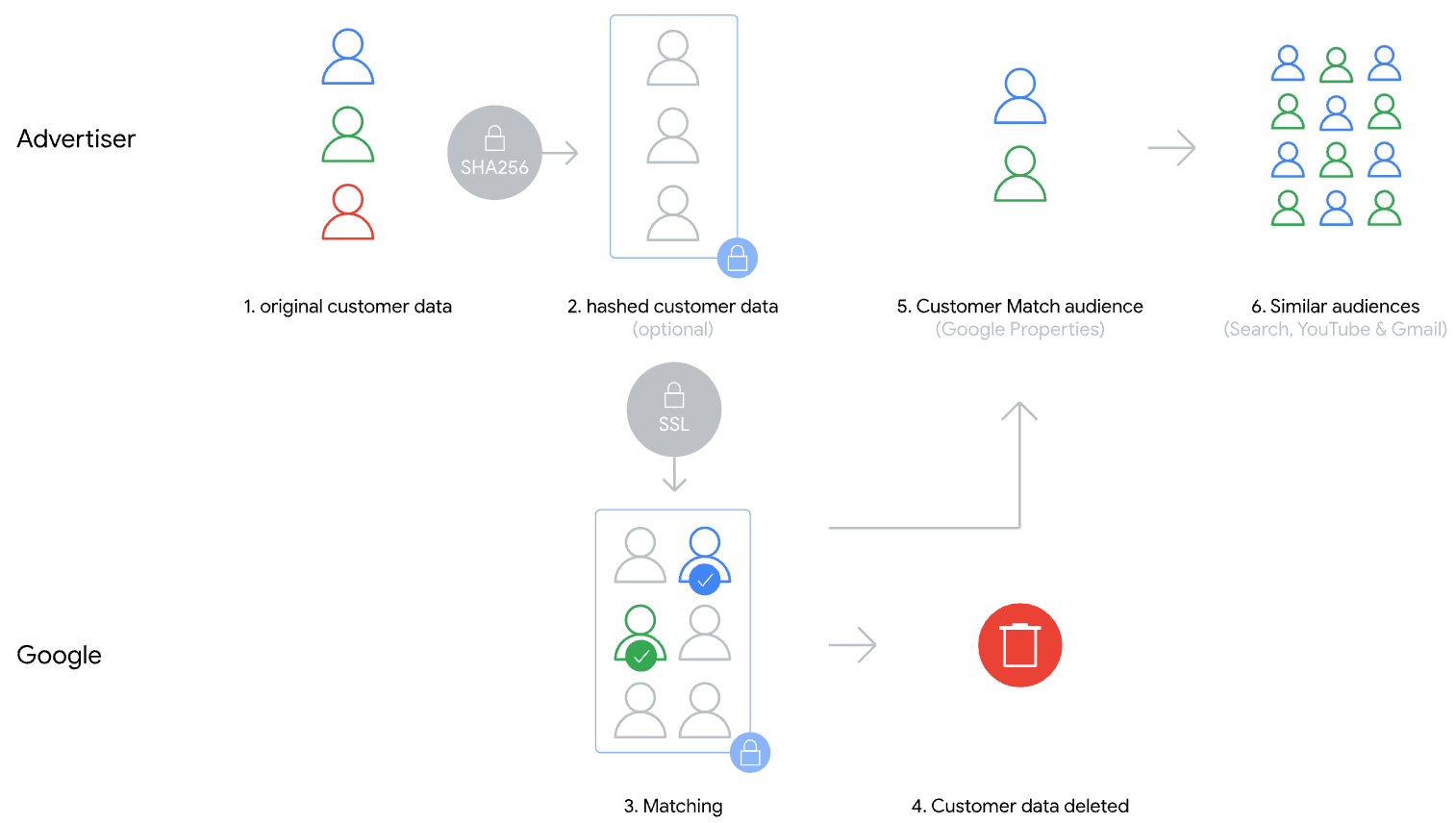
Google Customer Match
Google Customer Match lets you use your online and offline data to reach and re-engage with your customers across Google's owned and operated properties, such as Search, Shopping, Gmail, and YouTube.
Use case
- Retarget users across exclusive Google properties.
- Suppress existing customers or convertors.
- Upsell or nurture leads.
- Target or suppress offline only leads or customers that have never visited the website.
So what?
- With the deprecation of third-party cookies, this integration supports more durable identifiers such as hashed email, hashed mobile number, IDFA and GAID.
- There is potentially a higher chance to reach the user as Google can reach the user across logged-in devices and Google properties.
- Using this Destination in RTCDP benefits: real-time streaming segments, efficiency through automation, governance compliance, and maintenance reduction.
Google Ads (Legacy)
Google Ads is an online advertising service that allows businesses to buy pay-per-click advertising. This integration is considered legacy as only previously whitelisted accounts were integrated with Adobe Audience Manager. Please consult with your Google rep to confirm.
It is recommended to transition to Google Customer Match in order to maximise targeting with durable identifiers such as hashed email and hashed mobile.

Conclusion
AEP's activation service Real-Time CDP supports the most relevant Google Destinations ranging from the old-world of cookies and device IDs to more durable IDs such as hashed email and hashed mobile numbers.
